
Translated material
The new Mozilla project helps to get online class skills: research, creation, communication
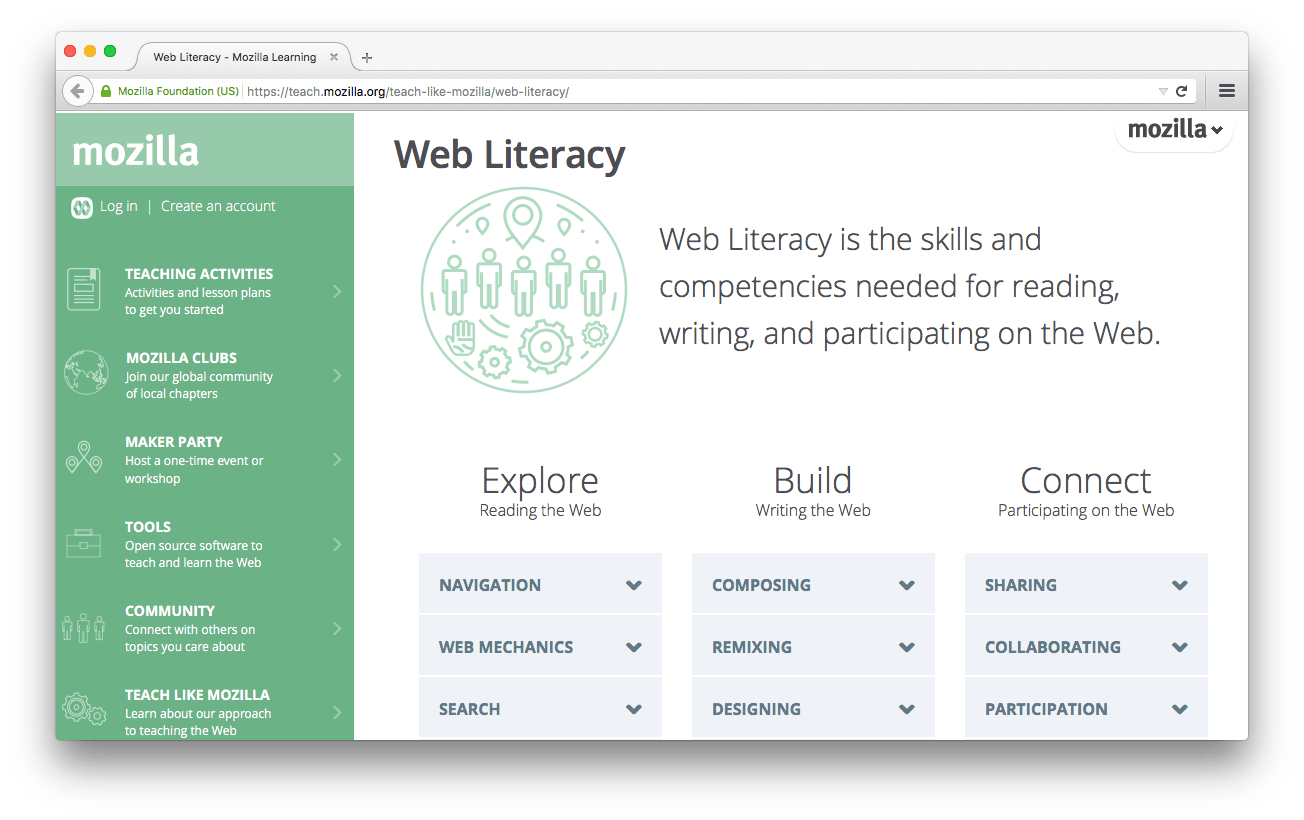
The Mozilla Learning Network, together with Hive Learning Networks, formulated a list of skills and competencies necessary for competent presence on the network. Web Literacy can be used as a checklist to test your knowledge.
With the help of its educational projects, the non-profit organization Mozilla , known to all in its browser Firefox , supports local communities around the world and develops digital skills and web-graphics through related training .
Using Web Literacy , you can find out what skills are necessary for various kinds of activities on the network - both in the consumption of content (Explore section) and the creation (Build section) and the distribution of content (connect section). Each section includes five types of actions.
Explore
This section includes the skills necessary when researching the network:
- Navigation - an understanding of the work of browsers and their extensions, hyperlinks and the main sections of services;
- Web machines -understanding of data on the network, servers, IP addresses and URL, as well as the main algorithms for creating and storing information on the network;
- Search - an understanding of search engines, search queries, search results, searching for information on social networks;
- Reliability is the ability to compare information from different sources, an understanding of the difference between the primary source and changed content, an understanding of the influence of the goals of resources on the type of information presentation;
- Safety is an understanding of security issues on the network, encrypting your data.
Create
This section describes the skills necessary for creating content on the network:
- Drawing up -the ability to insert links into the text, use HTML tags, insert media content using code, create resources and sites using existing capabilities;
- The combination is the ability to define and combine a different type of content and create something new, refer to the original content;
- Design -the use of CSS to change the styles and layouts of web pages, understanding between internal, inserted and external CSS, improve the experience of users interaction with your content using feedback and iterations;
- Power of code - reading and understanding the structure of the code, the use of basic patterns and concepts, the use of frameworks and API;
- Accessibility is the use of emphasis and understanding to create content for all user types, creating elements for crops other than yours, comparing and studying the influence of interfaces on different users, improving the availability of your resource using color schemes, structure and markings, understanding the influence of different interfaces.
This section includes skills to spread content:
- Distribution - the creation and use of a resource distribution system for others, promoting and finding content for the benefit of others, creating and supervising resources for feeding collection, understanding the needs of the audience to improve the community, understanding how to safely contribute to the change in content;
- Joint work -the choice of web tools for collaboration, the joint creation of web resources, changes in changes, achieving the result using synchronous and asynchronous tools, the development and collection of general expectations and results;
- Participation - participation in various communities with varying degrees of activity, respect for the rules of communities in expressing their opinions in discussions on the network, understanding the terms of different communities and participation in synchronous and asynchronous discussions;
- Confidentiality -the definition of confidentiality as the right of everyone in the digital world, understanding and explaining the possibility of third parties access to your information, understanding the definition of rights in user agreements, management and processing of online identity;
- Open practices - an understanding of the difference between an open and closed license, creating resources under an open license, participating in open source projects, and defending the openness of the network.