
Translated material
iOS 11 on the iPad. Why is it cool
"Medusa" talks about the most interesting of the new system
In early June, Apple's Corporation announced iOS 11 - the next version of its mobile operating system. It has a lot of new ones, including fully changed App Store and control point. But iPad users will receive the most interesting - they will find a special version of the system. Medusa tried the beta version of the iOS 11 at the iPad (a full release will be only in the fall) and talks about the most interesting and noteworthy innovations of the system.
Dock
In all previous versions of iOS, in the lower part of the home screen there was a static panel, on which users could tighten their favorite applications - and thus have quick access to them.
In iOS 11, Dock will appear on iPads, which is familiar to all users of poppies. Three things are distinguished from the classic static panel: more applications fit there; Their set changes - recently neglected ones are added to the applications fixed by the user.
Dock can be called from other applications. Like this:
Multitasking
Apple tries to make iPads compete not only with other tablets, but also with computers. iOS is already allowing you to open two applications on the screen at once: for example, you can read news in a browser and in parallel in a telegram. To the iPad Pro, published in 2015, you can connect the physical keyboard and the Apple Pencil stylus.
In iOS 11, they added the ability to drag files (primarily pictures) between applications. You can grab the picture from the article and drag it into the letter field, opened nearby.
And you can drag the file into a not yet open application:
Control point
In the new iOS, the control point will also change - the set of switches that appears if you run a finger from the lower edge of the screen up. Now, not only buttons are displayed there, allowing you to turn on and turn off wireless networks, manage music and change the brightness of the screen, but also running applications.
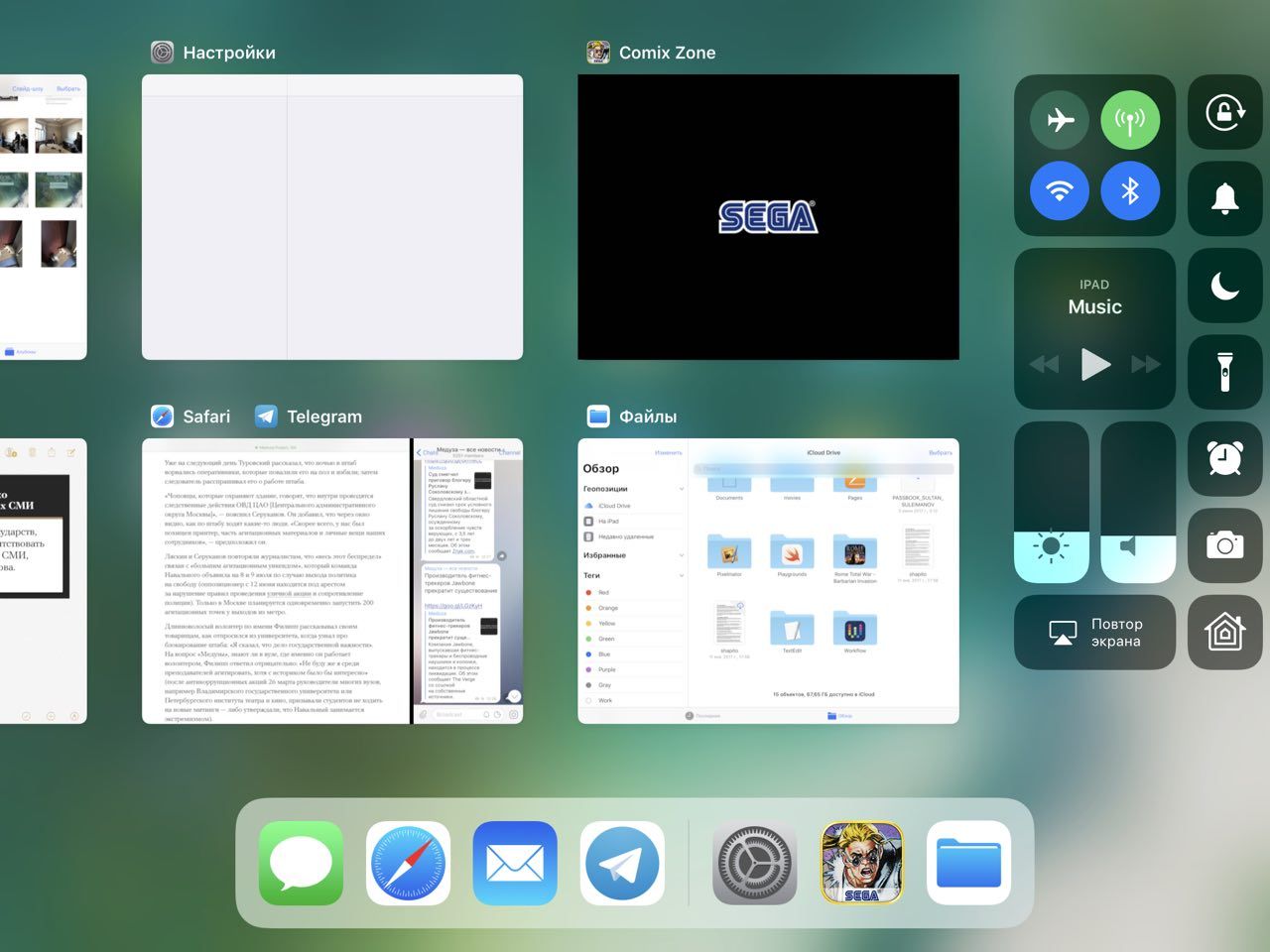
Preview of applications are displayed in two rows, and not one, as it was before. The opportunity to close the programs disappeared, looking up upwards - now you need to hold your finger in one of the previews, after which crosses will appear in the corner of each of them.
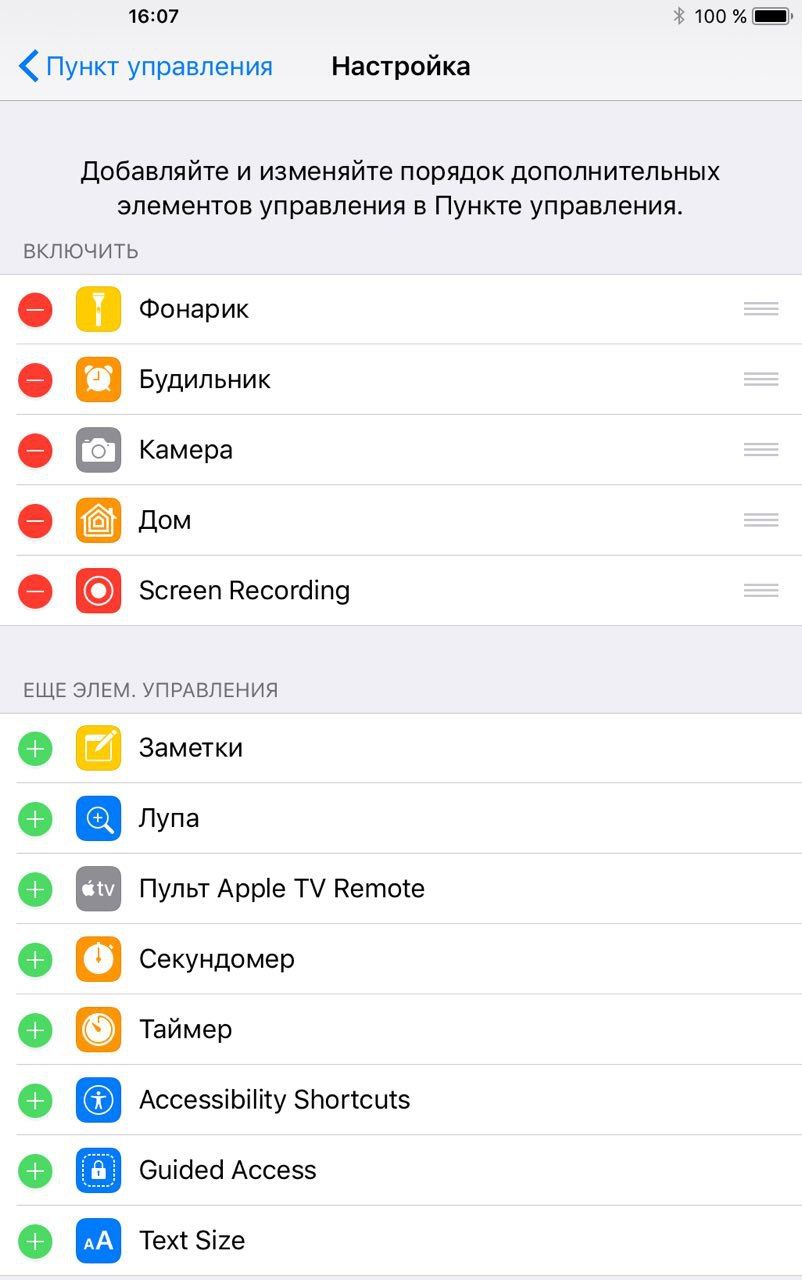
The order of the buttons can be changed!
You also wondered why in the lower row of buttons on the current control of iPhone or iPad there are a timer and a calculator? Now you can get rid of them.
In iOS 11, it became possible to turn on and off different buttons, as well as change their order. You can replace the timer with an alarm clock, remove the flashlight and add a “magnifier” (that is, a camera with the ability to increase the image).
Writing the screen
Pay attention to the fifth line of the screenshot from the previous point - now you can add a button to the control panel, by pressing the screen recording. Before iOS 11, for this, I had to connect the device to the computer (or just shoot the video from the screen to another phone). By the way, gifs in this material are made in this way.
New App Store
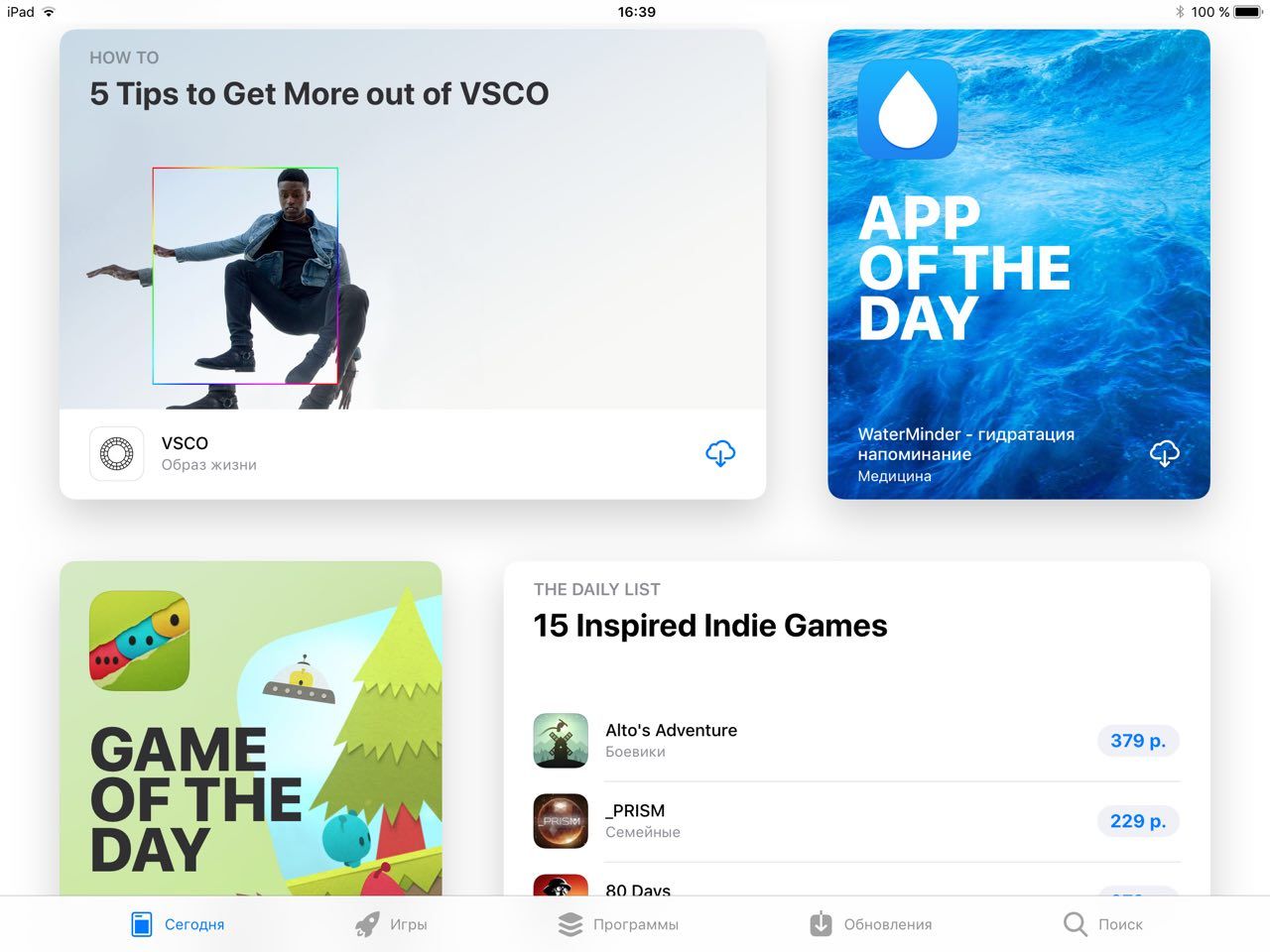
Now the main page of the store shows editorial selection of interesting applications and games. Apple wants to turn this place into media about applications.
While the section (it was called “Today”) is not updated, users are available to the demo-tanning man over once. It contains thematic collections with short announcements, “applications of the day” with detailed descriptions (these are not texts from developers, but editorial materials with screenshots and gifs) and tips on working with specific programs. When iOS 11 will come out officially, all these materials will constantly change.
Keyboard
There will be a new keyboard on iPads in iOS 11 - additional characters appeared on each key that can be inserted into the text without clicking on Shift. To do this, you will need to click on the corresponding button and pull down.
Editing Live Photo
Live Photo is a strange mixture of photos, videos and gifs that first appeared on the iPhone 6s. At the moment when you take pictures, the camera saves not only a photo, but also a short video about what happened before and after clicking on the descent button.
Now almost nothing can be done with Live Photo in iOS - editing is available only in third -party applications. In iOS 11, several basic tools will appear directly in the photo gallery. The user will be able to choose which photo in the animation should be the main one, turn off the sound and apply one of the effects of animation-either to cocovage it, or make it play back and forth.
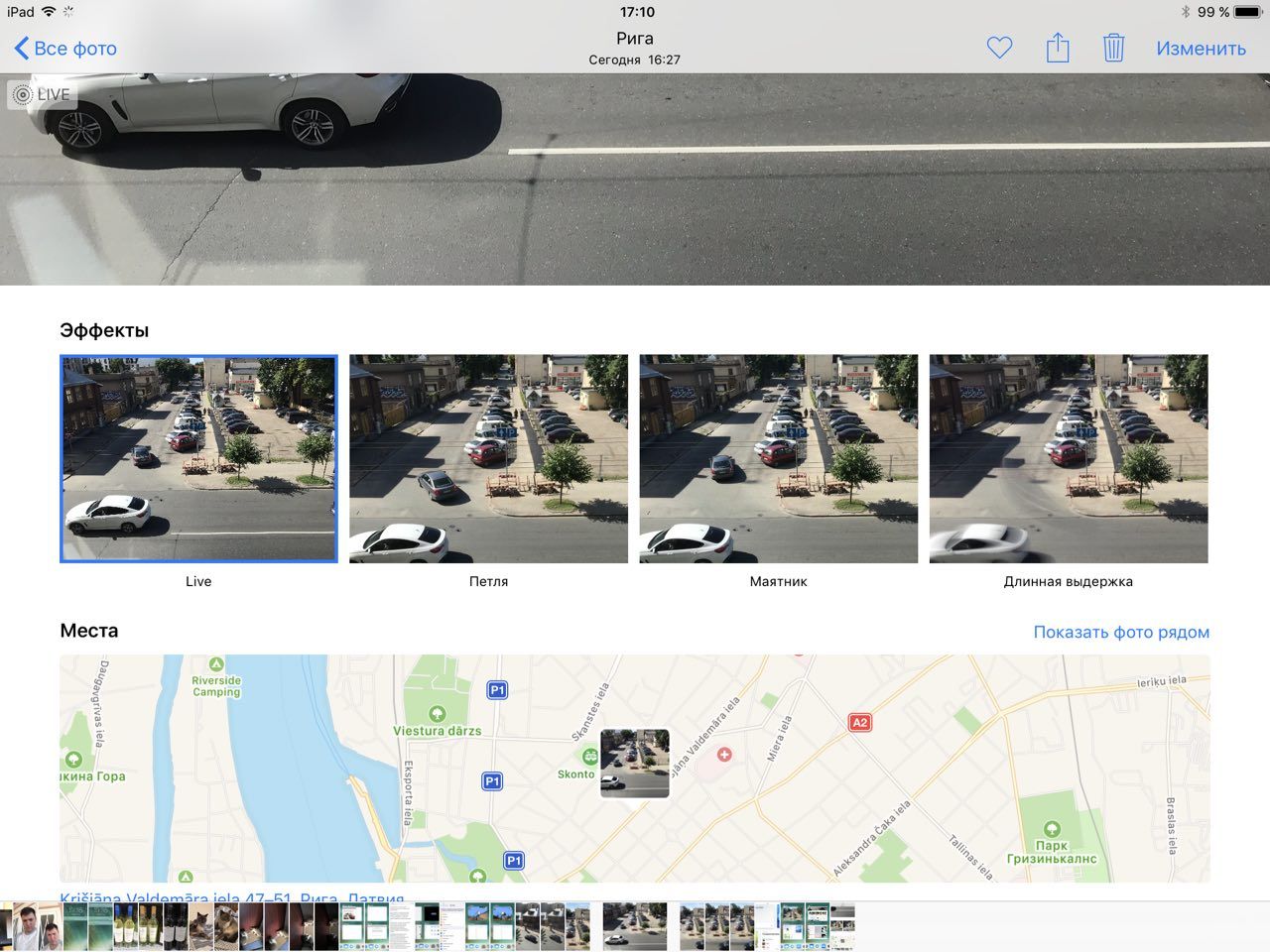
Or smear all moving objects along the frame, simulating a long exposure!

Bonus: Augmented reality
The iOS 11 will be added Arkit - a set of tools that allow you to create annexes with augmented reality. This works like this: the user leads the camera or an iPad on the table or floor, the device recognizes the surface and places virtual objects on it (they can be seen on the screen of the phone or tablet).
The developers are already trying Arkit, creating simple applications, but we could not try them live. It remains only to admire the demonstration videos.
Sultan Suleimanov