
Translated material
Yandex found the secrets of users hidden on Google Docs and Google Disk
In the search results of Yandex, late in the evening on Wednesday, user files of Google Docs and Google disk services appeared, which are not protected by privacy settings and are publicly available. All evening, Runet studied the contents of these resources, finding a lot of interesting things there.
Details
- The first reports that Yandex began to look for Google Docs on a private information containing private information on Wednesday evening. All evening, users in social networks and messengers shared finds, introducing requests like “ passwords ”, Galina Panina , “ kickbacks ”.
- Only a few hours later, the search engine stopped looking for Docs.google.com. However, at the time of publication, Yandex continued to look for the Google Disk (Google Docs part of it).
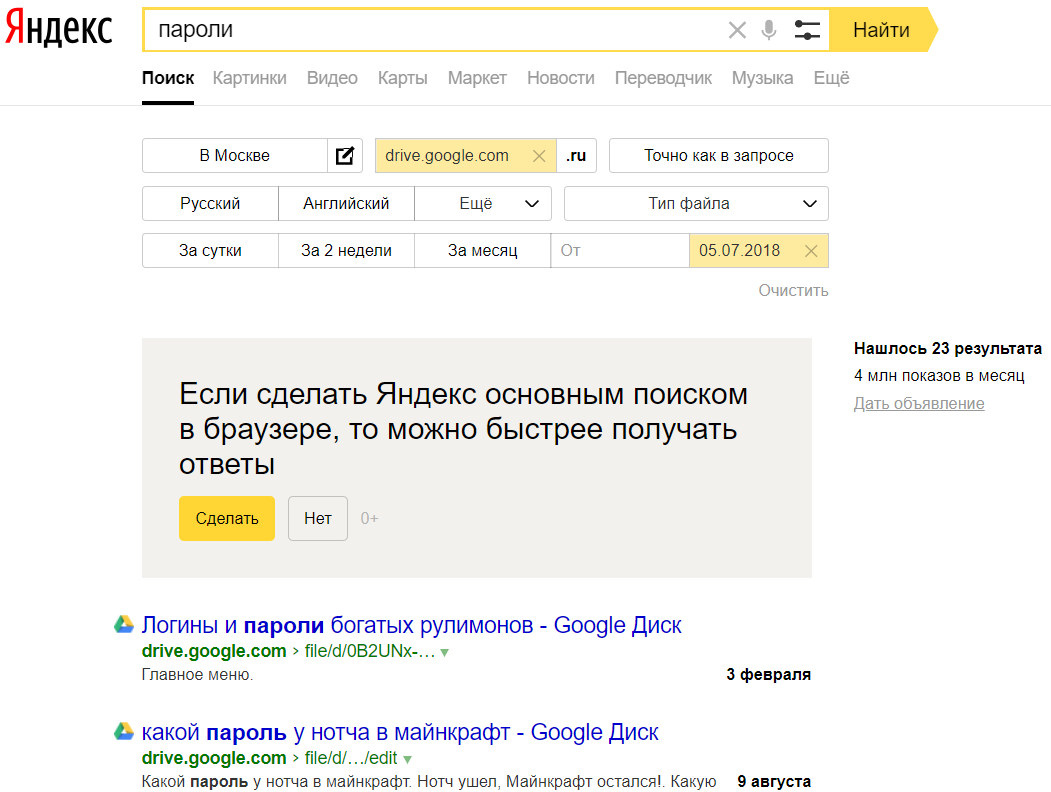
- On the night of Thursday, the search for Google Docs and the Google Disk was available not only with Yandex. It was possible to look for documents posted on these services using an expanded search for Google ( 1 , 2 ).
- The official commentary of the Yandex press service provided by The Bell said that "the search engine indexes the entire open part of the Internet-those pages that are available when crossing the links without entering a login and password." “Pages whose indexing is prohibited by the site administrator in the Robots.txt file, Yandex does not index, even if they are in the open part of the Internet.” From the company’s message it is not clear why on Wednesday the search engine began to index the documents of Google Docs and Google Drive. It is only clarified that Yandex drew attention to the problem after users contacted the problem of support for the problem of accessibility of files on Docs.google.com on Wednesday evening. “Our security service is now associated with colleagues from Google to draw their attention to the fact that private information may be in these files,” Yandex said.
- At the time of the publication, The Bell failed to get a Google comment.
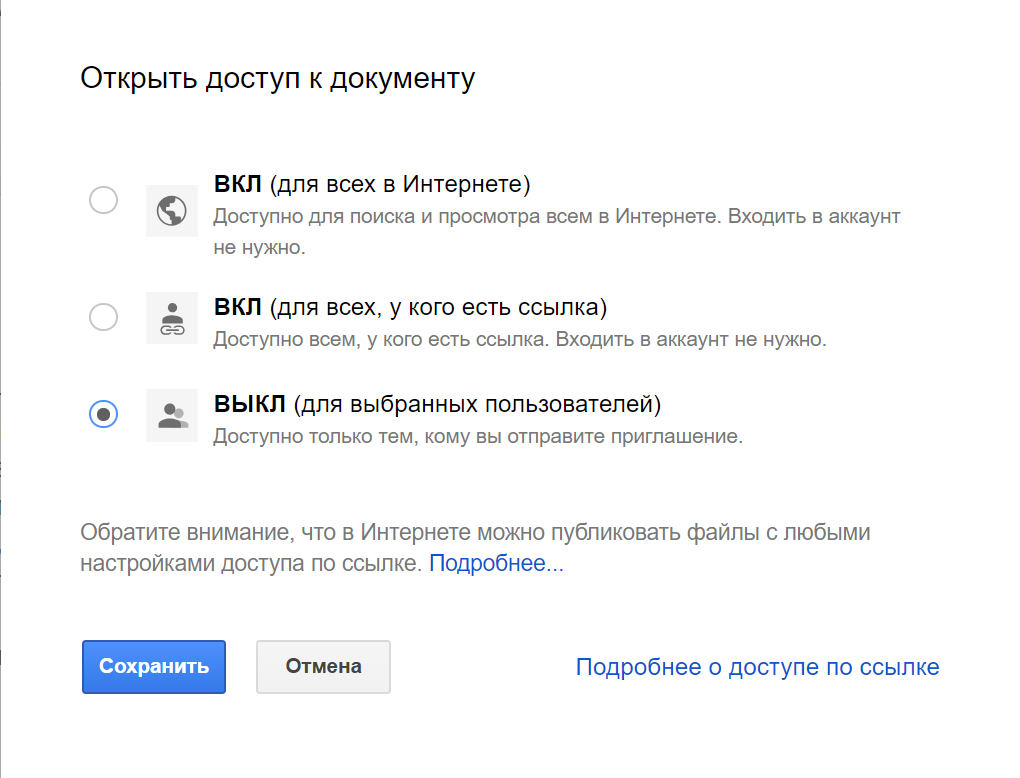
- In order to remove your documents from the search results, you need to configure joint access in Google Docs and Google Dis so that the document is available only to users who received an invitation from you.
Vladimir Motorin