
Translated material
Galaxy S10 is an ideal Android-telephone. Almost
7 things that need to correct Samsung so that we do not have any complaints left
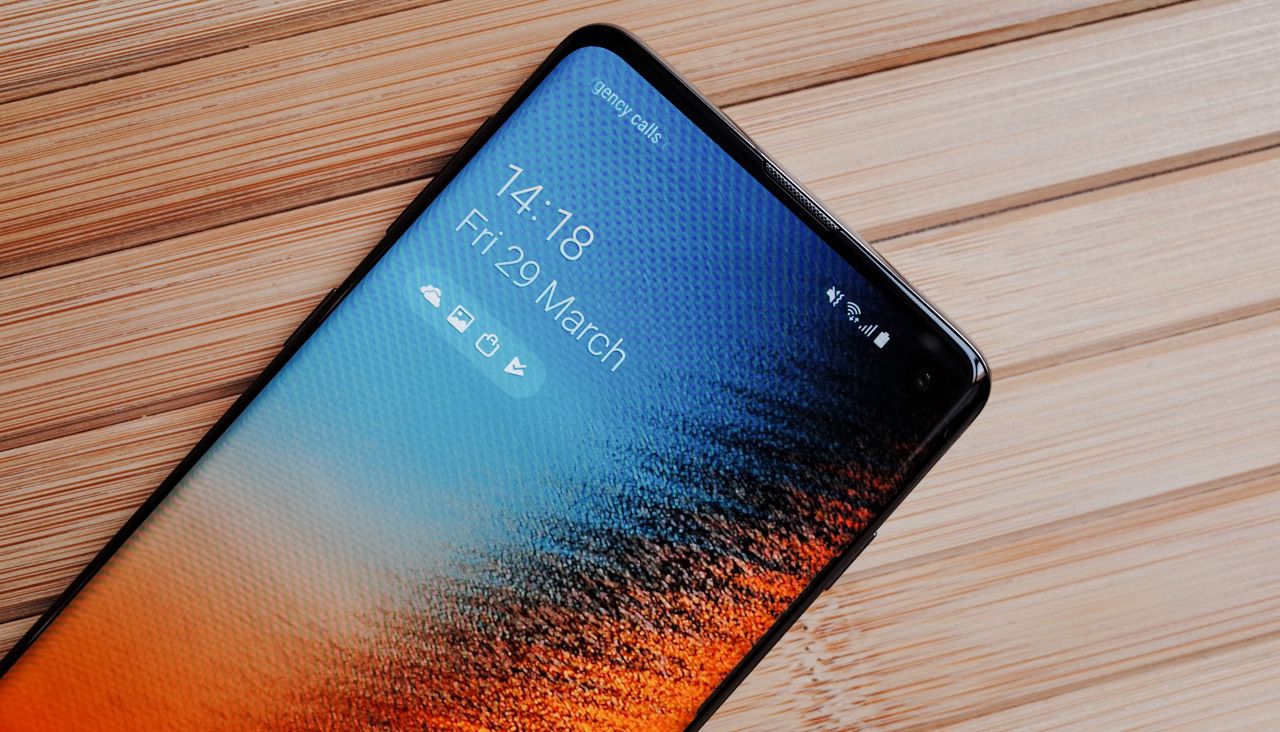
Samsung Galaxy S10, presented on February 20, 2019, by default became one of the main phones of 2019 - along with the upcoming models of iPhones and Pixel. Let it not be as unusual as Galaxy Fold with a folding screen, but everything works in it as you expect. Well, almost everything: the Medusa journalist Sultan Suleimanov spent several weeks with the Galaxy S10 and tells what details you need to wind Samsung so that this device can be called the perfect Android-telephone of 2019.
About the Galaxy S10 as briefly as possible:
Galaxy S10 is the average model in the 2019 Samsung flagship line. In addition to it, there is S10E, which is devoid of part of the functions and costs cheaper, as well as the S10 Plus with a double front camera and a large screen. In the S10 there is a 6.1-inch screen, which occupies almost the entire front surface of the device; In its upper part there is a hole under the front camera, in the lower - the invisible sensor of the fingerprint. There are three main cameras at once-with different lenses (a wide-angle!) Glass body is added, there is wireless charging (in both directions-“Samsung” can be charged with an iPhone!), USB-C and headphone port. Price - 69 thousand rubles.

And now - minuses
Curved screen
Probably, scold Samsung phones for many years of pride in the company - a curved screen - will be too arrogant. But the experience with the S10 shows that the wow effect from the screen, which climbs on the left and right faces of the phone, does not outweigh the inconvenience from its use. And the inconvenience is this: the fingers holding the device sometimes touch the screen, and it records false presses. This does not happen every time, but often enough to annoy it: for example, when you try to photograph something, holding the phone horizontally, the camera suddenly begins to change the scale of shooting. Or when a pop -up window appears on the screen, and after a second it disappears - because the phone considered the press past the window. Although he was not.
Fingerprint sensor
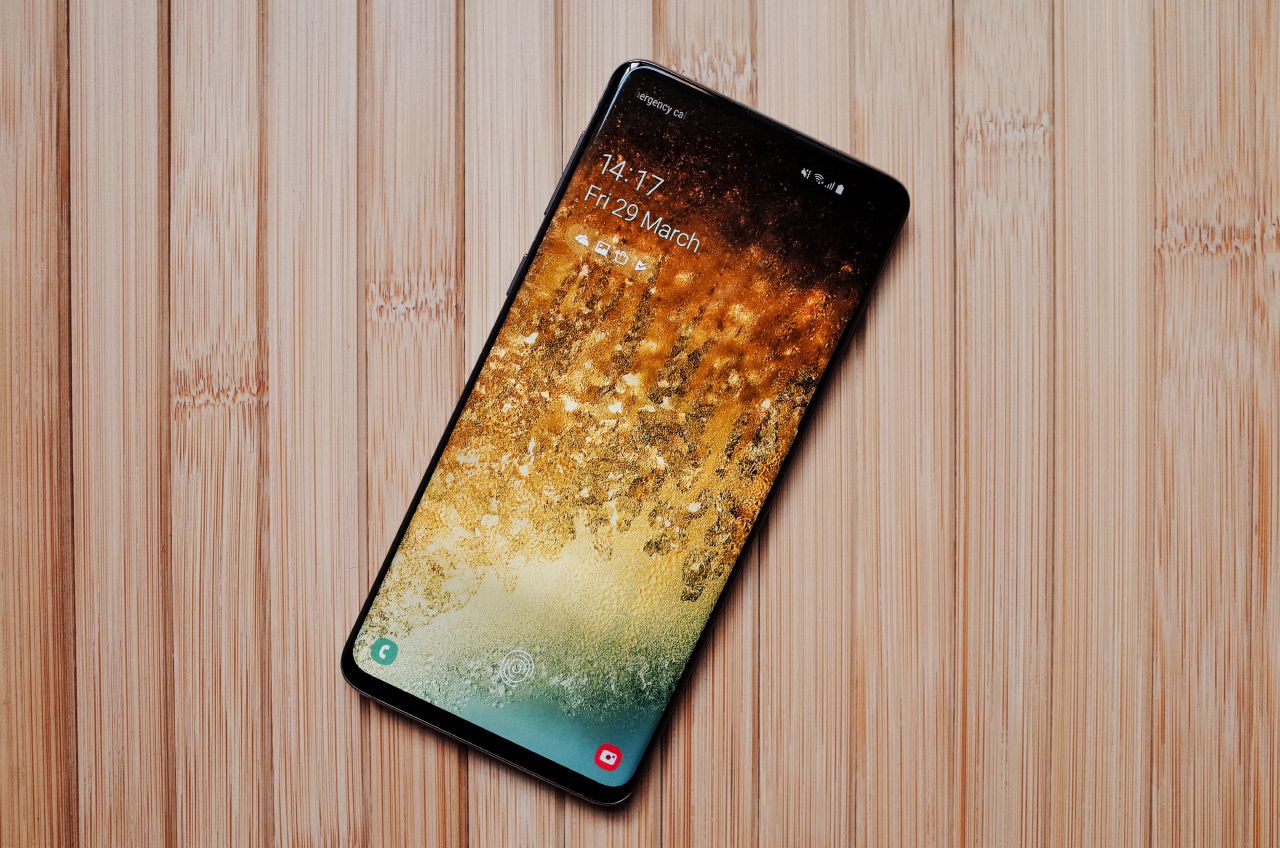
In the Galaxy S10, the fingerprint sensor moved from the rear cover to the screen: in the lower part there is an invisible ultrasonic sensor, with which the device is unlocked. The very decision to integrate the sensor into the screen is excellent, but the technology is far from the perfect one: too often the phone does not recognize the print, forcing to apply a finger pillow several times. In addition, prints are read only on a small area: it is worth missing, and it will not come out to unlock the phone (although in fairness I must say that the sensor is located in such a place that without even looking into it it is easy to get into it).
Imposition of unnecessary services
In 2019, when you set up a new phone, you expect that everything will be so intuitive that no instructions will be needed. In general, the Galaxy S10 corresponds to these expectations, but the questions still remain. The main thing is why the user is another Galaxy Store app store, in addition to the standard Google Play? Moreover, this question will sooner or later ask each user: Galaxy Store displays the invitation in the notifications panel to install something, and it is impossible to close it with simple smarts.
In the same place, in notifications, from time to time they invite you to try the cloud storage of OneDrive from Microsoft, and among the pre -installed applications you can find not only standard from Google or Samsung, but also Facebook, which lives its own life: it cannot be deleted (only deactivated), and it independently downloads the renewals through its own Facebook application App manager (which cannot be removed either).
Camera: overloaded interface
In 2018, Medusa had to make an edit on the Galaxy S9 review after the release of the material: we complained that among the camera modes there was no ordinary slow-off shooting (only super-chained), although it was, it was just necessary to look for it somewhere deep in the settings. There is no such problem in the Galaxy S10 interface: “normal” slow -off shooting is available immediately, like the rest of the modes.


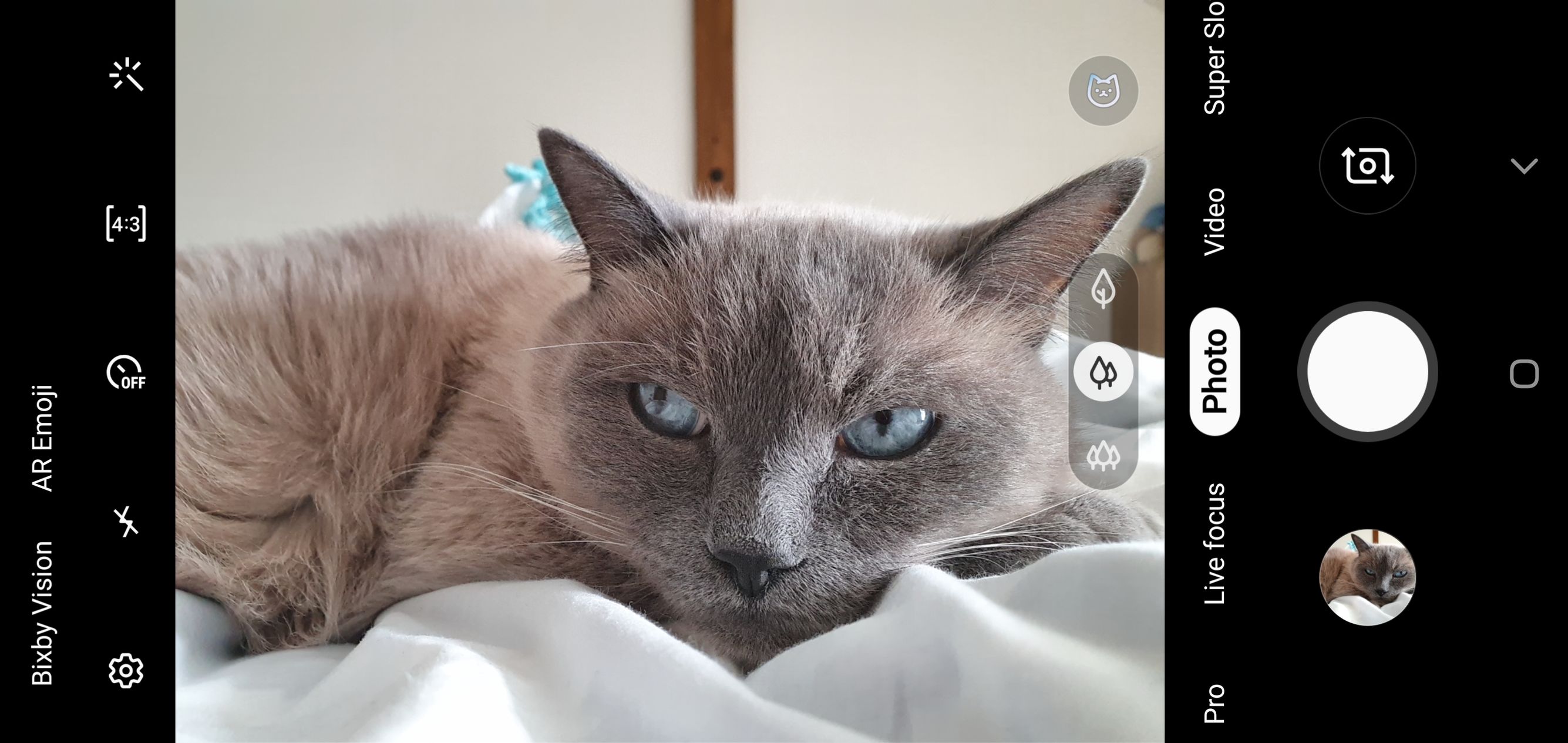
But there is another problem: the camera application offers a lot of things: a simple photo and video shooting mode, slow and super -loaded video, “professional” photography mode, portrait mode, panorama, hyperlaps (accelerated shooting), food shooting mode and special instagram mode: the photo taken immediately falls into the “stories” editor. Plus, the mode of the “smart” camera of the Bixby Vision, which recognizes texts and objects in the frame, and what Samsung calls “AR-Emoji” (more on this).
In addition to this, there are many settings, lenses switches, the ratio of the sides of the frame and a special scene recognition options: it is assumed that the phone will choose the parameters depending on whether you remove the landscape, person or sunset. There is even a mode for pets (look at the icon above the right ear of the cat), but what is its feature, it is difficult to say.
Camera: AR-Emoji
AR-Emoji is Samsung’s visit to Animoji and Memoji in iPhones of the latest models: the camera recognizes the expression of your face and broadcasts it into one of the painted characters. The unconditional plus of the AR-Emoji in the S10 is that this mode is available directly in the camera (while in the iPhone it is hidden in the message application).
On this, the superiority of the Samsung version ends: models in the S10 look much less cartoon than in the iPhone; They often poorly read the expression on the face (although I did not have to encounter convulsions, as in tweet above), and third -party models that can be downloaded, for example, from a “cold heart”, can only be used on a virtual background. But all the joy of this function in the ability to put a virtual head on your real body.


Camera: Beauty mode
In the Galaxy S10, as in many other modern Android telephones, there is a “beauty mode”: when shooting a selfie, the phone smoothes the skin and makes other cosmetic changes. The problem is that this mode is turned on by default: until the user guesses to click on the correct icon, he will receive “brightened” photos.
Fortunately, this regime even with the settings twisted at the maximum (and there are a lot of them!) It doesn’t distort the face very much - perhaps your friends will not even make fun of you, deciding that you were ineptly used by photoshop.


Android
No, this is not a point in which we will be indignant at Android in general. But one detail in this system is still terribly annoying (both in expensive and well made S10 - especially): it requires several permits for each sneeze. To access contacts, files, and so on. It is great in itself - the user himself decides which applications to what access to. But to meet such windows when you use standard phone applications is still amazing.
Bonus: Galaxy Buds wireless headphones
Together with the S10 Medusa, the Galaxy Buds wireless headphones went to the test, which are sold separately from the phone for 10 thousand rubles. Like AirPods, they are delivered in a special box that acts as an external battery: while headphones are in it, they are charged. Unlike the same Airpods, Galaxy Buds are inserted into the auricle (which means that they are less likely to fall out of the ear) and are available in three different colors.
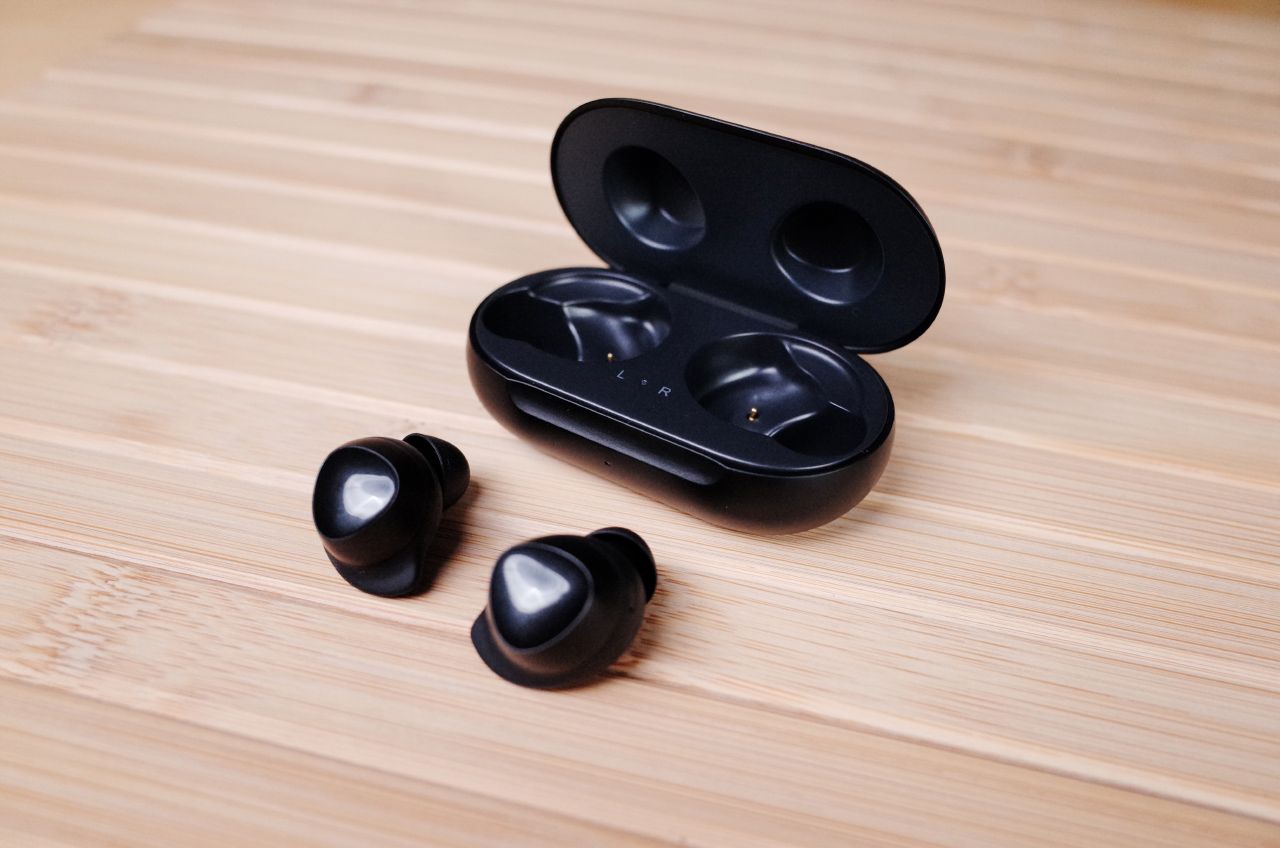
Impressions from Galaxy Buds:
- They sound a little worse than Airpods; the lower frequencies are especially affected;
- They sit tightly in their ears and greatly muffle external sounds - sitting in headphones where they can speak with you at any moment (for example, at work), will be difficult;
- They have a very stylish case-charging; True, it is hard to open it with one hand on the go is not like a box from Airpods;
- Galaxy Buds are controlled by touches to a special touch zone (and not tapping on the headphones, like AirPods). In practice, this is not so convenient: if you pause the music and begin to get the headphone from the ear, with a high degree of probability you will touch the sensory area - and again turn on the playback;
- The case from the headphones supports wireless charging, and it can be charged from the Galaxy S10 itself is very pleasant;
- The microphone in the headphones is terrible: it is better not to use them for calls.
Sultan Suleimanov