
Translated material
Android applications: security tips
When we want to install the program in Windows, we often go to the developer’s website. We download the program, launch the “Master of installation”, read the license agreement (yes), follow the steps to the very end. At any time, you can press the “Back” or “Cancel” button.
It is much easier with a smartphone. Here, all applications are conveniently collected in the storage (Google Play Market for Android, App Store for iOS). Any application can be installed with one click. But how safe is it?
People store a lot of data on smartphones: contacts, photographs, important documents, audio recordings and videos, call history and SMS. People communicate in messengers and social networks, read mail, make orders in online stores, make bank payments, lay routes around cities and beyond. Modern mobile phone is a much water source of useful information for the attacker. Owners of smartphones have something to protect.
iOS does not contribute to the spread of harmful code. Applications can only be installed from the "corporate" store of the App Store. Before getting there, each application goes through manual check. In this article, we will talk about the Android world - bright, diverse and quite wild.
It seems we are protected?
Applications cannot get on Google Play “from the street”. In addition to an impressive list of recommendations of the technical property and a detailed description “How to publish your product”, Google created the “Center for the Developers for Developers” . On this site you can see restrictions and guarantees of user data security. And this is not only about viruses and trousers.
- The application should not secretly monitor the user’s actions or secretly collect data about him.
- Even if the data is collected legally (with the consent of the user), they cannot be sold or released.
- The application is required to request only the permits that are necessary for its operation.
- The developer does not have the right to misinform users in the description of the application or to pass himself for another person.
- You can not show a la system notification (such as “not enough space ...”).
- You can not slip such an advertisement that would overlap the application itself and forced the user to click on the banner.
- You can not duplicate the applications already posted in Google Play.
- You can’t spray.
And many more reasonable "impossible." Violators of the rules are threatened with warnings, removal of the application from Google Play, and removal of the account. Each new application is checked before publication, this check usually takes up to a week. In addition, Android devices are on the default Google Play Protection . It will help protect yourself from a variety of threats, even if the malicious code does not appear from Google Play, but from another source, for example, you are trying to install it from any site on the Internet. Google Play Protection daily scans 50 billion applications for more than 2 billion devices .
Add to this hundreds of different applications (including eminent manufacturers) to protect smartphones from malicious code and other misfortunes, as well as dozens of recommendations in the spirit of “how to avoid problems on your smartphone”.
Or not quite protected?
In January 2020, Bitdefender (specializes in the fight against viruses and other malicious code, is known thanks tothe program of the same name ) in the Google Play 17 Applications , which rocked advertising from the Internet. All these applications immediately after installation behaved completely predictably - they performed the declared functions. Games, wallpaper, file managers, QR codes, watches. The cunning application has a trick for about two days, without exciting suspicions, and then it was taken to download from the network and showing the owners of smartphones advertising - not only pictures, but also videos.
Applications confused traces and complicated their “capture”. For example, the program could delete its badge, and make the intervals between advertising banners random. It was not easy to see some system and connect the outrages with the recent installation of “this pretty game” to the owner of the smartphone. The total number of downloads of such applications was about 550 thousand. Experts reported the “Nakhodka” Google, and the company deleted the applications from Google Play. (See also an article by Daily Mail about this incident .)
The Cybernews team, in turn, became interested in applications that allow users to “improve” their selfie: take a regular picture, and the application adds splendor to your hair, whiten their teeth and gives the eyes an amazing blue shade that you always dreamed about. According to Cybernews, even leaders in this class do not hesitate to collect user data and send them back to China, for sale.
In October 2019, The Bell published an interesting study : only 11 of the 100 most popular applications in the Russian Google Play do not share the collected user data with anyone. The rest send these data on numerous channels, including not encrypted (read: open). The applications are crammed with trackers that track the actions of the user (for example, its whereabouts), and request a fair amount of permits. The publication of The Bell illustrates the appetites of Android applications, which can lead to the invasion of users' private life.
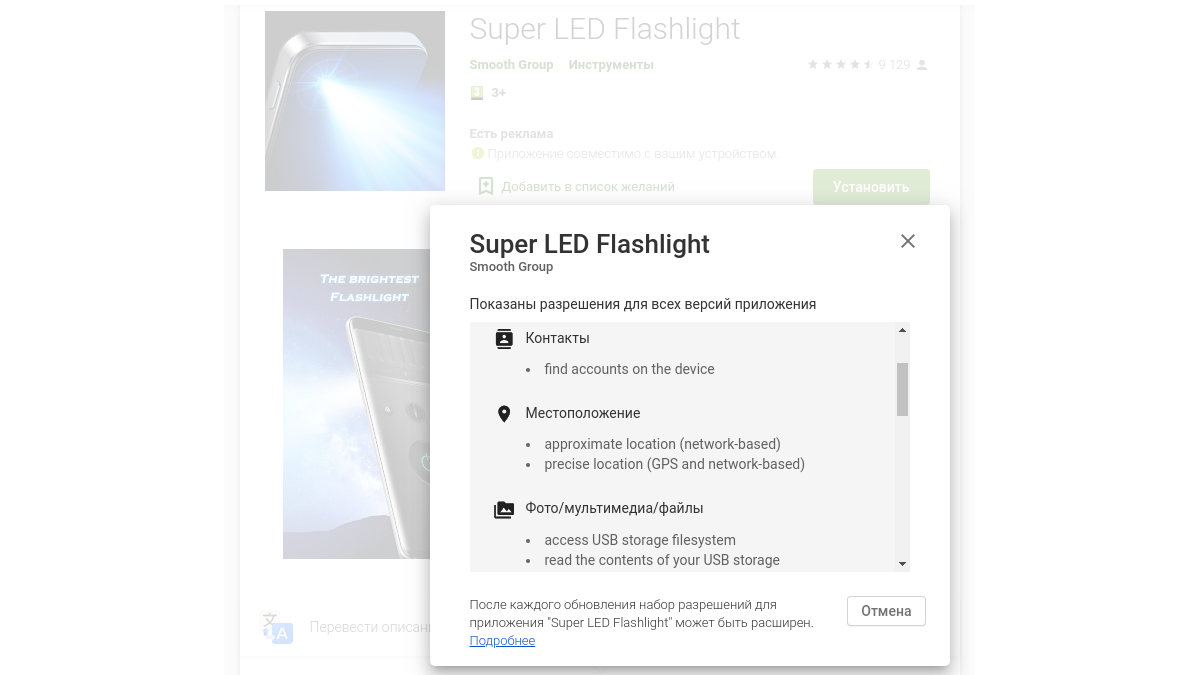
It is difficult to imagine a simpler and more undemanding application than a flashlight. Avast, a well -known antivirus manufacturer, analyzed 937 (!) Flashlight applications, which were published on Google Play at different times. It turned out that 262 such applications required over 50 permits. In particular, 180 flashlights for some reason needed access to the list of contacts on the smartphone, and 77 flashlights wanted to record sound.
Finally, the Android device and its owner can be victims of harmful code besides Google Play. You can get acquainted with such a story in the material of Group-Ib about Android Troyan Fanta . This harmfulness is aimed at customers of Avito online store popular in Russia. The application steals money using social engineering techniques, phishing pages. In fact, the user himself opens Fanta access to his device.
It turns out that the transfer of user data or the request for permits is evil? Optional. Information can be transmitted in an impersonal form, and permission can be necessary for the application. Each case should be considered individually.
Why problems arise
The main reason is the human factor. A smart, self -learning, regularly updated antivirus program is powerless if the user himself turns off the protection, for example, obeying the fake “system requirement”.
There is also a factor in trust. Google repeats that he carefully monitors the security of Google Play applications, and the Protection Protection application is included and works. The user may have (not always justified) a sense of security: “Google has already taken care of security. Forward!". As can be seen from the above examples, life is more difficult.
In those organizations where corporate security does something mean, smartphones often “fail” between the points of the current security policy. People buy it for their own money, therefore, the device is not corporate, and it is not easy to control the implementation of the rules of security policy on someone else's smartphone.
Finally, the efforts of "security guards" are often focused on protection against harmful code and phishing. At the same time, a flock of trouble flies “below the radar”. These are, for example, Fleeceware - applications that are trying (sometimes for very decent money) to sell you what competitors can be obtained for a symbolic fee or just like that. (The word comes from English fleece, which in the verb form means “cut the wool”). For example, you set yourself a wonderful family budget planner. The application at the start requested data from a bank card to "confirm registration and issue a free seven -day test period." Did not cancel the subscription before the end of the week? A greedy planner will rent from you $ 150 of the monthly fee. Many users simply delete the application and believe that that's all. Indeed, the developer usually perceives removal as an unambiguous refusal to use the product. But there are those who use formality: removal of the application does not stop the action of “subscription”, and therefore you can take money, even if the application is actually deleted. Fleeceware is not a virus or triang, the program for catching malicious code will not help the user. Sophos experts conducted their own investigation , which confirmed: some Fleeceware are still available on Google Play.
Resolutions are dangerous and not very
What permits should you pay attention to first?
- Reading and recording personal data (calendar, contacts, call history).
- Access to files on the device.
- Sending SMS and making calls.
- Access to the location data is less accurate and more accurate (using GPS).
- Access to audio and video (camera and microphone).
You can view the overall list of permits in the Android settings. On the page of each application in Google Play there is a “permission” item: scrap the page down, in the “Additional Information” section, find “Permissions” and click the “Read more ...” link.
Google offers instructions on how to manage permits .
Two more circumstances.
- Specific "dangerous" permits may be needed to work the application. Read the description: maybe the developer explained why his brainchild needed access to the chamber or microphone.
- When the new version of the application is released, the set of permits may change (expand).
What can be done for applications security
- View the application installed on the smartphone. Remove dubious and unused.
- View permits for the remaining applications. If necessary, adjust/turn off.
- Make sure that all applications in Google Play are updated. To do this, you need to go to Google Play, press the settings button (“Hamburgger”-three stripes in the upper left corner), select “Settings”-“Auto Expert of Applications”-“only through Wi-Fi”).
- Check if Google Play is enabled. In the same “Hamburger menu”, select the Play Protection item and make sure that the protection is included.
- Disconnect the installation of applications from unknown sources. In my smartphone, these are “settings” - “extended settings” - “confidentiality” - “unknown sources”, but on your device the path may look different.
- Avoid the installation of applications when they do not have a real need. Do not chase fashion (“everything installed, and I installed”).
- Install applications of reliable developers, for example, on the recommendation of an expert, whom you know well and who you trust.
- Before installing, to check with the official website of the developer: to compare the name of the application, the name of the developer, the logo of the application “with the original”. It happened that the user mistakenly installed an application with a similar name and/or icon.
- View a list of permits of each new application.
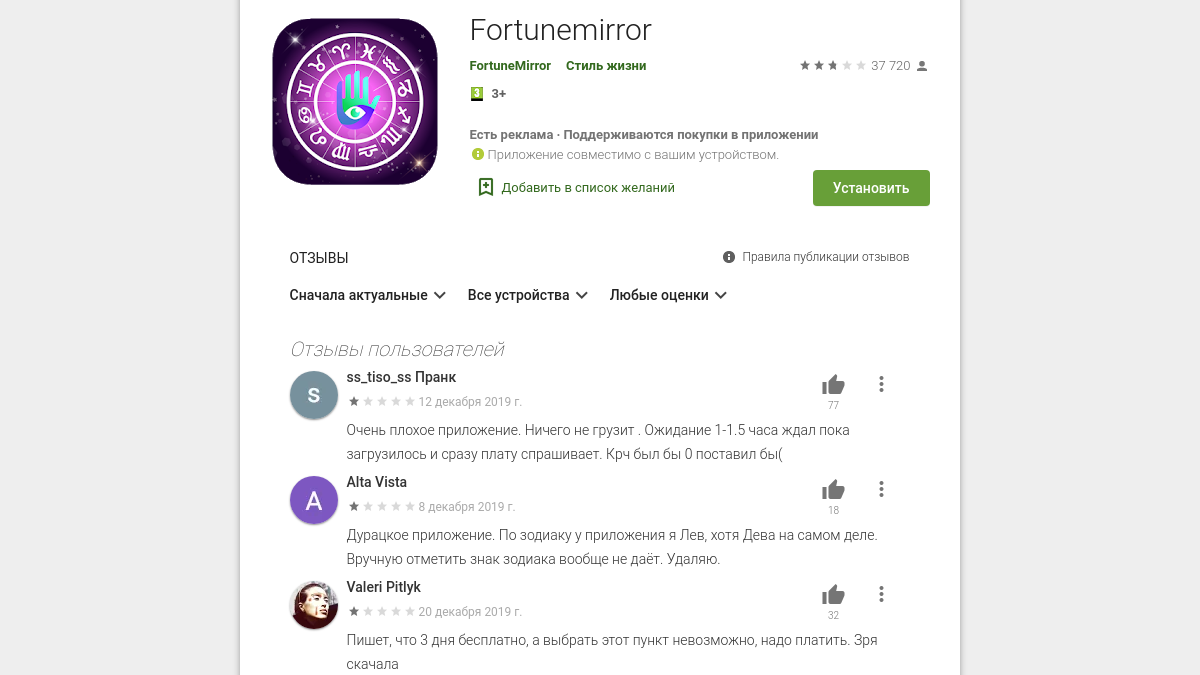
- Pay attention to the date of the last update - in Google Play there are many applications that have been actually abandoned for several years by developers back - and to user reviews. Be critical to reviews: among them there are a lot of emotional and unpretentious "information noise." Other reviews show the mistakes of the users themselves and their unjustifiably high expectations than the real drawbacks of applications. Malicious applications-bots are made by their regrettable “contribution”, which are promoted in Google Play through the publication of positive reviews. But sometimes the reviews are useful: by combined indignation, you can make sure that with the application, something is clearly wrong and it is worth refrain from its installation.
- Compare the applications of the same class, choosing those that retain basic functionality and do not require excessive permits.
- If you work in an organization where there is a security policy, you can "try on" this policy on your mobile device. Most often, politics is written not for sadistic reasons, but to protect employees, their data, devices, and communication. From these rules you can benefit, even if your smartphone is your personal and is not related to work.