
Translated material
Brave browser - a worthy replacement Chrome
According to the end of 2019 , the most popular browser in the world was Google Chrome (approximately ⅔ market). Firefox free browser is more logical and simple in terms of security settings. Firefox is based on anonymous Tor Browser . Many adherents of Apple remain faithful to their Safari. But Chrome, this Word in the world of browsers, has been holding confident world leadership for at least six years in all surveys.
However, the leader is always a target for ambitious attackers. You can read a lot of exciting stories about Chrome vulnerabilities.
Open code browser
Google has developed another, similar browser - Chromium . In fact, it is the basis of Chrome. Chromium has a simple interface and fewer functions, but open code. This allows programmers to make their own browsers based on Chromium (Opera, Microsoft Edge, Yandex.Browser). Open code, in principle, is good. The programming community can not only develop new products using proven technologies. Experts are able to determine whether there are errors or “bookmarks” in the product - consciously introduced vulnerabilities for access to user data. Read more about the open code in this article on the website of the greenhouse .
Brave is a promising free open browser with Chromium -based. He appeared in 2016. The creators of Brave position their product as aimed at ensuring privacy. At the head of the Brave team is a talented programmer Brendan Eich, creator of JavaScript, co -founder of Moziilla. The idea of Brave is to effectively save people from intrusive advertising and constant collection of user data.
Brave is available for Windows, MacOS, Linux, Android and iOS.
Blocking advertising
Brave by default includes an advertising lock. Most likely, you will not even notice its presence if you do not compare with another browser.
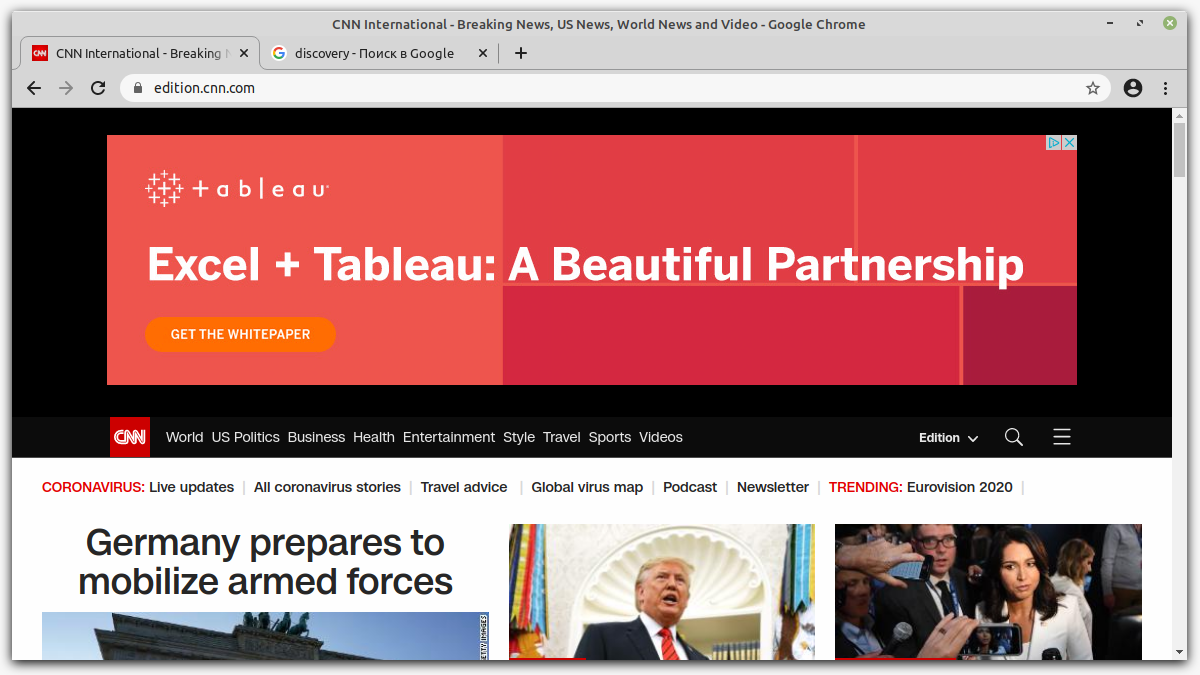
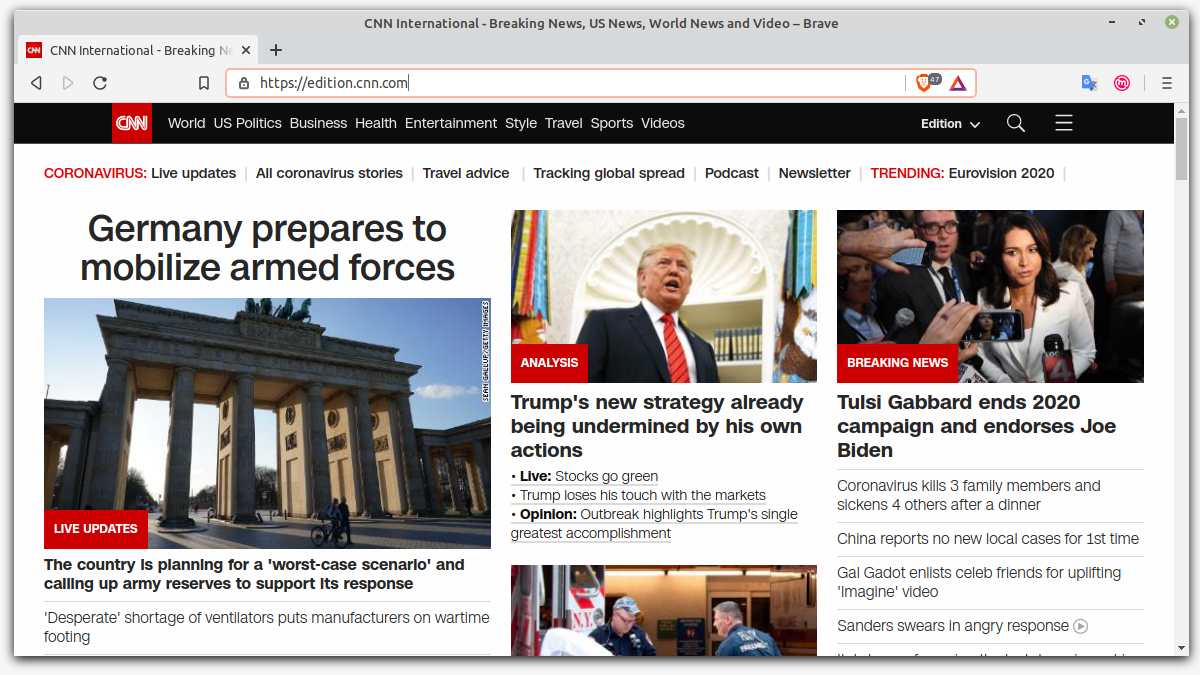
Moreover, you can connect additional advertising filters if you type in the Chrome address line: // Adblock/(also available in the menu "Broadcasting Brave).
Critics of BRAVE say that radically cutting all advertising is a controversial solution. Many sites exist through advertising (and do not take a fee from readers). Is it right - to deprive the developers of sites of the opportunity to compensate for their expenses? The creators of Brave offer their concept of display and adoption of advertising. In short, you (user) can receive a little money from viewing advertising, but not in rubles, dollars or euros, but in BAT tokens. The creators of Brave call this “remuneration” or “reward” (the Russian translation of Brave is not bad, but there are discrepancies and flaws). Tokens flow into a registered virtual wallet. It is already built into the browser, it only needs to be activated. You can spend tokens from this wallet to support your favorite sites (if the owners of these sites have the status of “registered authors”). Read more about Brave in the field of advertising can be read here .
"Shields" Brave
In the upper right corner of the browser is a button with three horizontal stripes (“sandwich”). Click, select “Settings” in the menu, and then in the left column - “Protection”.
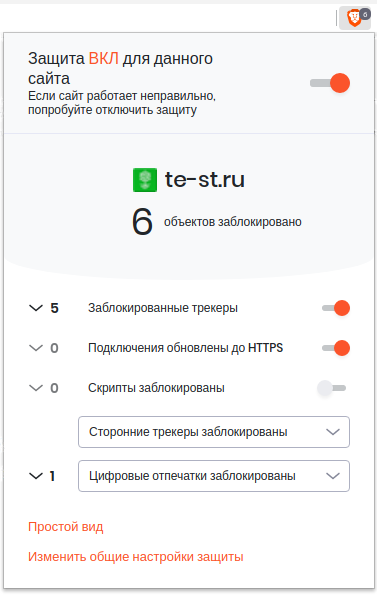
Security options are called "shields".
- Block hidden trackers. The tracker is a small element of the web page that collects information about the user actions. Sometimes trackers are useful and desirable, for example, creators of sites for collecting statistics on visits. But from the point of view of the user, this, in simple language, is surveillance. There are useful extensions for browsers that detect and block trackers, for example, Privacy Badger . The Brave browser has its built -in tracker lock. This option can also affect the display of advertising banners, as some of them contain trackers.
- Update connections to https. If there is a HTTPS version for the site, but by oversight of the site admins of the site there is no forwarding to this version, Brave will fulfill this task itself. For “ordinary” browsers of automatic forwarding, you can achieve by establishing the expansion of HTTPS EVERYWHERE .
- Block scripts. This Brave option allows you to "filter out" JavaScript code on web pages. It is good for safety (we will pass incorrect, malicious code), faster page load. However, some sites will lose some of the functionality (for example, it will not be possible to log in to), while others will cease to correctly display correctly. This filter should be used neatly. Similar functionality has an expansion of Noscript .
- COOKIE files. Small text files that sits write on your computer and use to store certain information about your visit. Brave allows you to block or allow all cookies, as well as block the intersight cookies.
- Recognition of the device. Each browser has a “fingerprint”. It can also be used to collect information for marketing purposes. Brave has an option that reduces the risk of “recognition” by sites.
These are general settings. “Shields” can be turned on and disabled (both at once and separately) for each site. Click in the address bar of the browser on the right to the Brave logo. The desired control panel will appear.
Other useful "chips"
As a default system in Brave, as in Chrome, Google is proposed. You can change this in the settings. But if Chrome offers domestic Yandex.ru and Mail.ru as alternative options, then Brave has the first “on the spare bench” - Duckduckgo , a “accent” search engine for privacy.
A separate group of settings allows you to remove the logging button through Google and Facebook, built -in tweets and Linkedin posts.
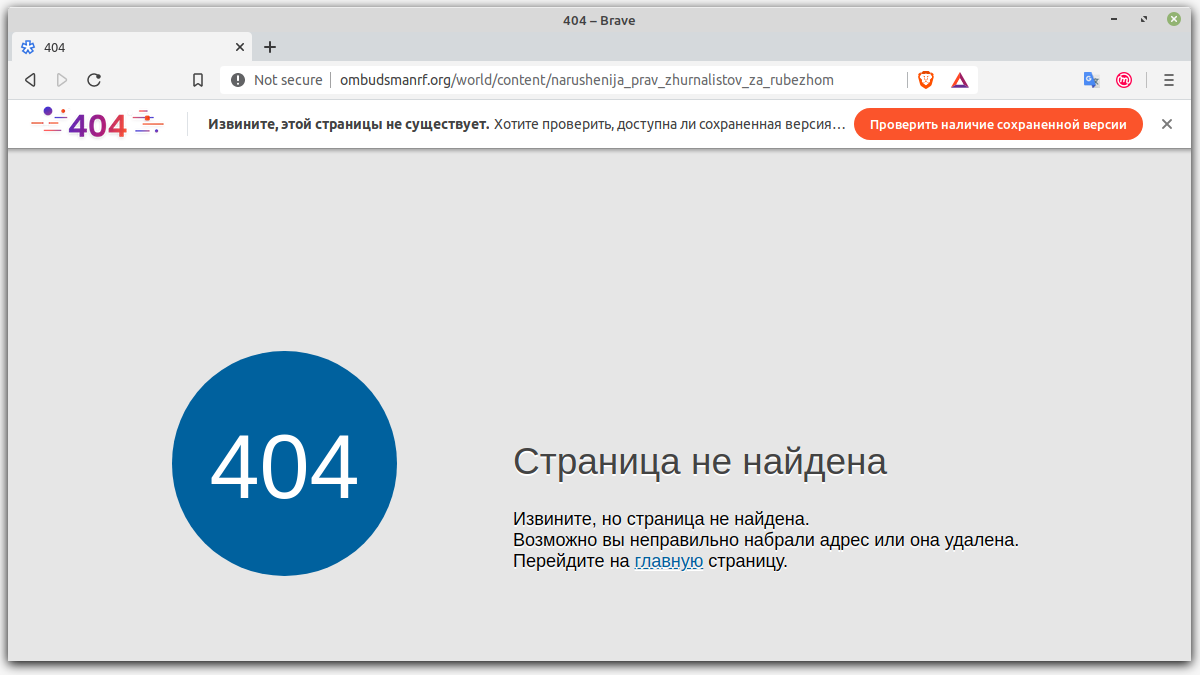
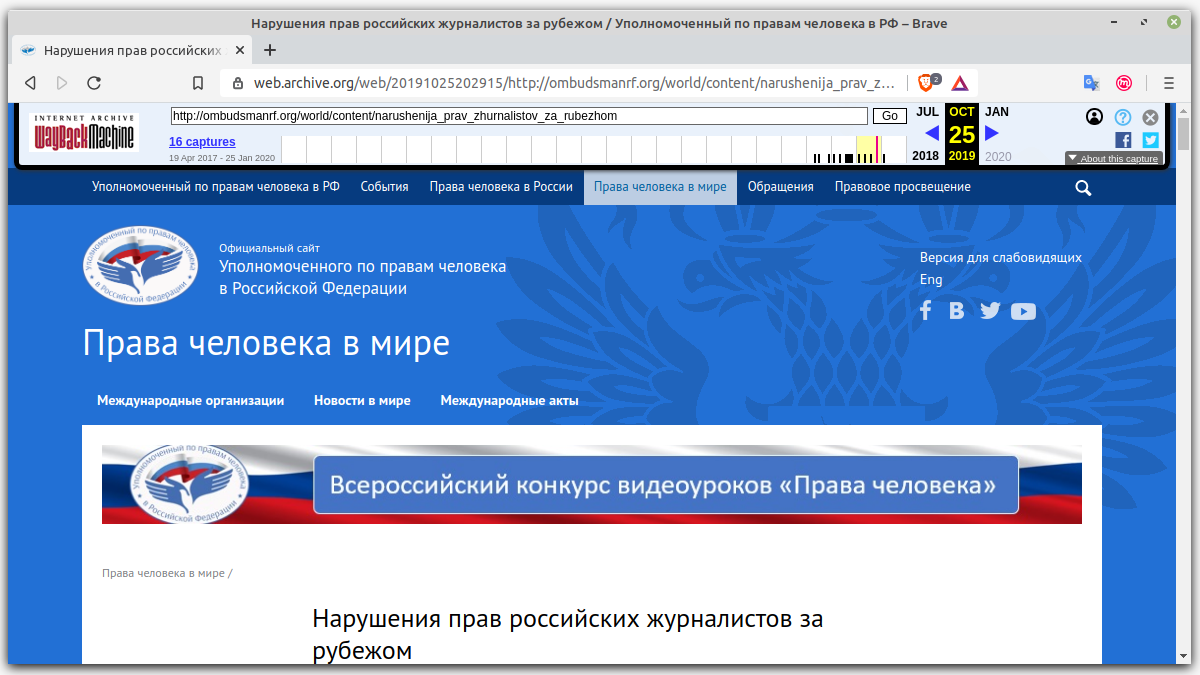
A curious feature of the Brave browser is integration with the popular Wayback Machine service. If during swimming on the network you were nailed in waves to the missing (remote) page, Brave will kindly invite you to use the “Internet Archive” and see if the page is needed there. Of course, you can do this independently, but in Brave it is enough for you to press the orange button “Check the availability of a saved version” once.
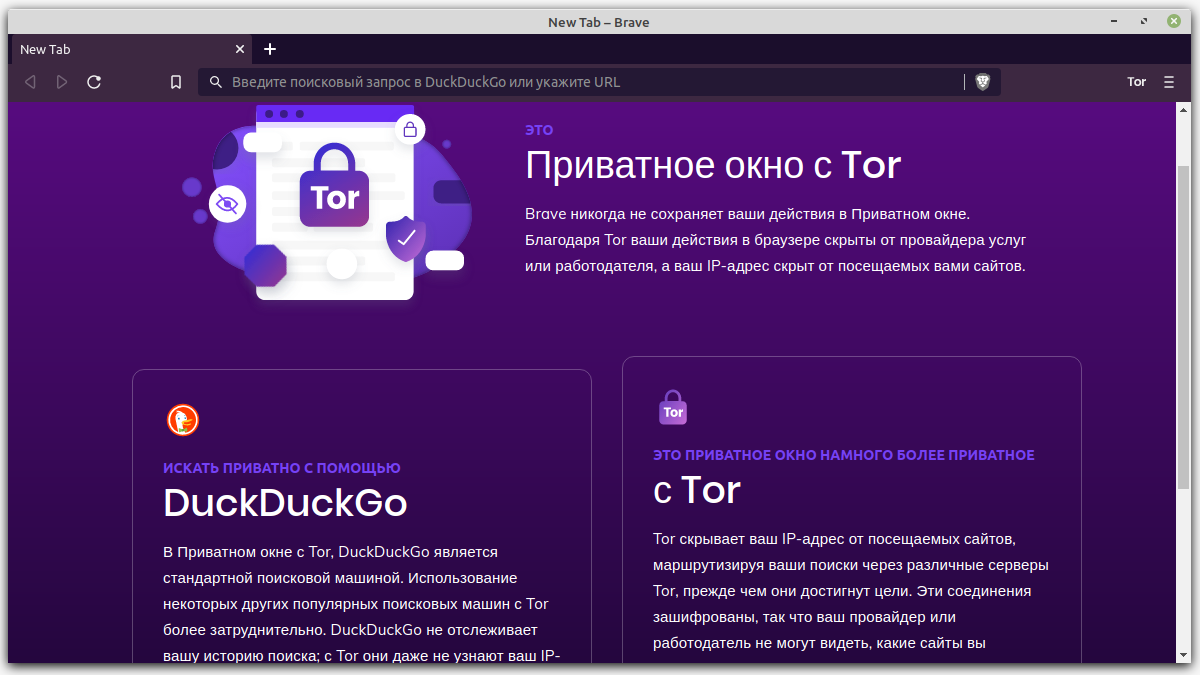
In Brave, as in Chrome, there is an incognito mode for cases when you do not want to leave network “traces”. Here it is called a “private window”, as in Firefox. In addition, Brave boasts a “very private window” - using the Tor network. This powerful tool to ensure anonymity on the Internet was previously available, mainly using the "corporate" Tor Browser . Now Tor is built into Brave. Of course, you will not see the whole list of Tor Browser settings here, but, for example, you can change the chain of server-goals for connecting to a specific site (the right button at the top, dropping menu).
Finally, it is very good that Brave allows you to use extensions from the Chrome online store. For example, it is important for me to maintain the ability to use Mailvelope to encrypt and decipher email.
Conclusion
Brave browser is a pretty free Chrome alternative with open code. Brave includes a number of interesting and popular “chips” to ensure safety, such as blocking the tracking elements on web resources, private viewing of sites with Tor, integration with Wayback Machine. Now these options do not need to be loaded separately - they are built into the browser. Brave effectively cuts out advertising and supports its own curious advertising strategy. It is impossible to call this browser ideal-there are mistakes in translation, not always intuitively control, and I could not achieve the promised super-scurry (“Three to six times faster than competitors!”). Nevertheless, Brave is a strong application for the role of a “private browser” and at least worthy to try it.