
Translated material
How to create your interactive card

Activists from the mound made a “map of inaccessibility”. On it, volunteers note the inaccessible transitions and sidewalks for people with disabilities. The card was created using the shmapper plugin. We tell you more about the capabilities of the plugin and explain how to create a map for your project.
What is Shmapper?
Shmapper is a free plugin for WordPress, created by a greenhouse of social technology in 2019. Deciphens as Simple Human Mapper, or simple humane cardographer. Using the plugin, you can make an interactive card based on Yandex. Card or Open Street Maps, on which any user will be able to put his mark. This is a convenient way to draw attention to a social problem, for example, pits on the roads, violations in the elections or cutting of forests. Craudsoring cards created using plugin also help to look for supporters and coordinate their actions with other activists and volunteers.
The main functions of the plugin:
- setting and displaying cards with markers on the pages of the site;
- receiving new markers of the card through the feedback form;
- premoderation or post -modification of new markers;
- Loading landfills using the export of KML files;
- form protection using Recaptcha;
- Downloading user icons of markers.
In the latest version of the plugin 1.4.8, the Gutenberg-block “Shmapper Full Screen” appeared, which allows you to make a site on which the card will be a key element. The block is compatible with the designer of Kandinsky sites and other WordPress topics, and is also adapted for mobile phones. Now the form of sending markers can be imposed on a card or located under the card and adapt to different widths of the screen. You can choose the position of the form - in the center, left or right (and with the help of CSS adjustedly).
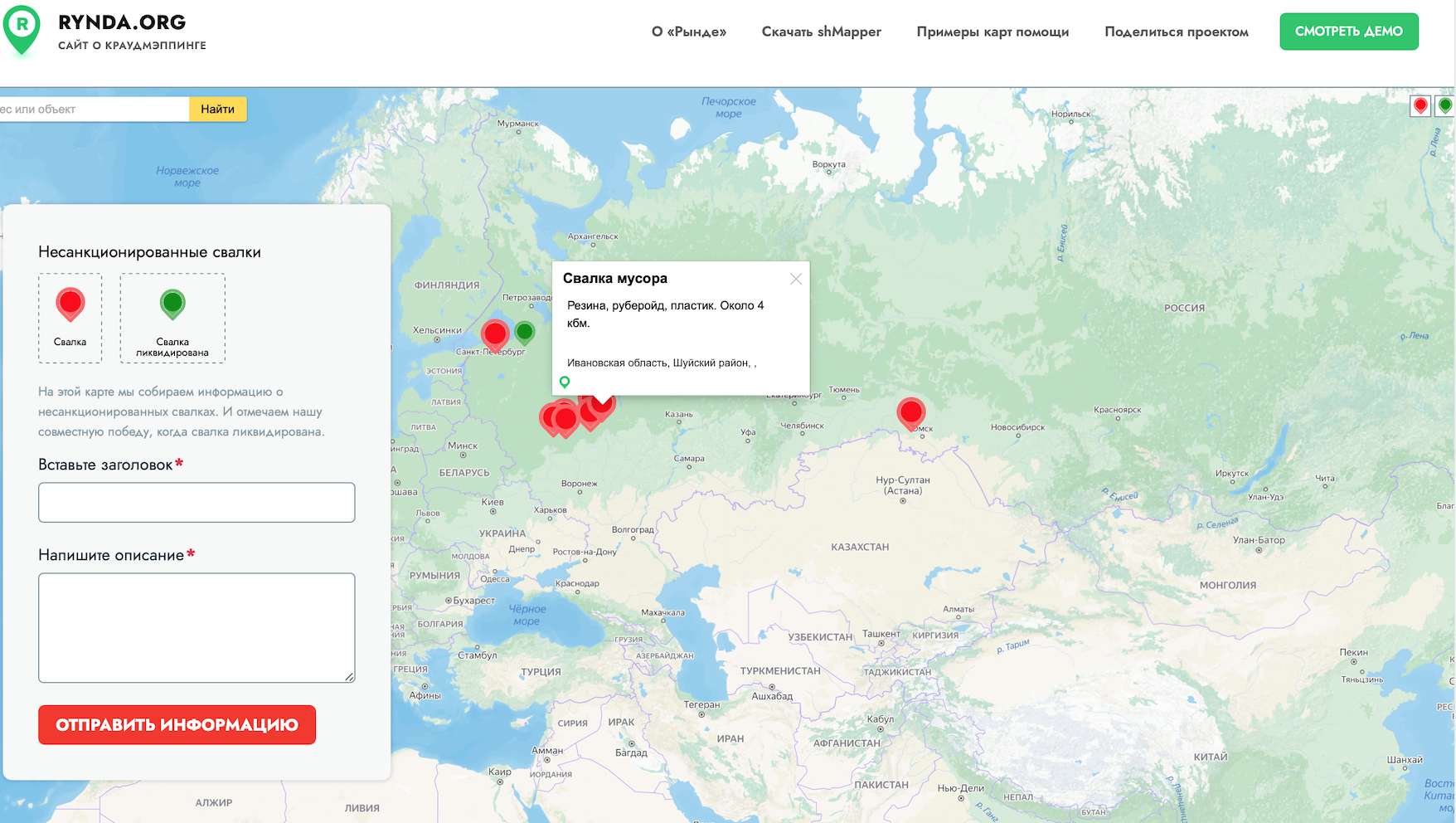
How to make a site card
Download and install Shmapper plugin in your site control panel on WordPress. If your site is not on WordPress, you can make a page with a map on the subdomain of your main site on which you will deploy WordPress.
Create a new card, name it and designate the problem that you want to solve with its help.
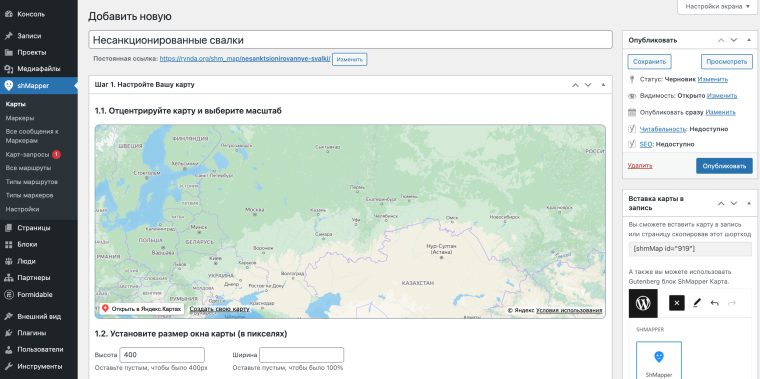
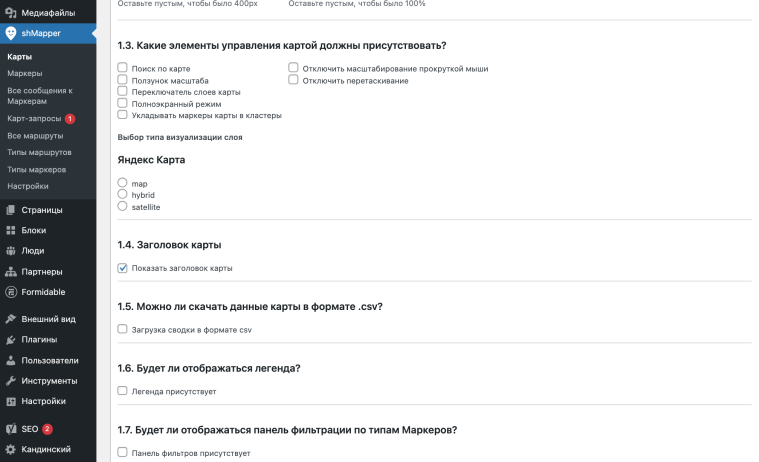
In the settings, mark which card management elements must be present. And also turn on the crowdsourcing function so that users can freely add markers to the card indicating the problem.
Open the main page and add a shmapper block from the Gutenberg blocks library. No shortcodes!
In the block settings, select the card that you want to show, the type of card is full -screen, indicate the height (100 px). Turn on the display of the form and select its location - on the left, right or in the center, set the width and indentation.
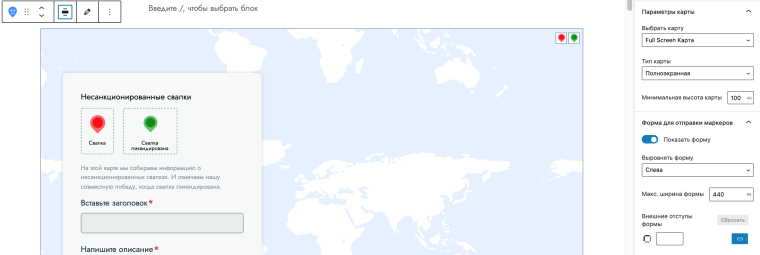
In the block settings, you will also see a summary of the specified parameters of the selected map.
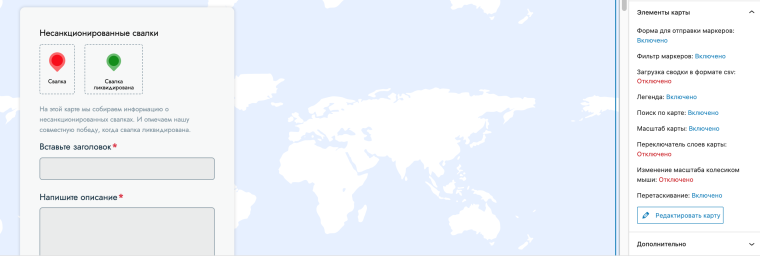
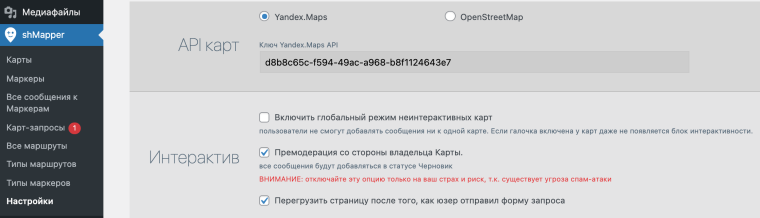
In the plugin settings, select what will happen after filling the form: a message show or transition to another page. Include markers to avoid spam attacks. There you can add protection using Recaptcha.
Set up the basement and hat of your site.
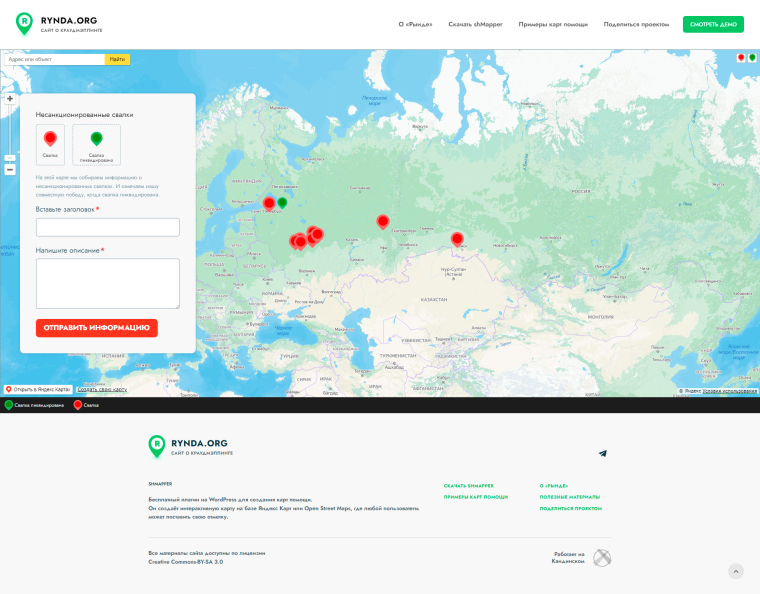
Your site is ready!
An unlimited number of dots can be applied to the map created using the shmapper plugin. All data is available for export and import.
Examples of use of plugin
The team of the Center for the Development of Civil Initiatives "My Kurgan" made a "map of inaccessibility." Employees of the organization ask volunteers with points to mark on the map elements of the urban environment, transitions, pedestrian sidewalks, inaccessible to people with disabilities. All linear objects - quarters, streets, areas and areas where users' help in data is needed are displayed on an additional layer with polygons or lines.
This is what a “map of inaccessibility ” looks like.
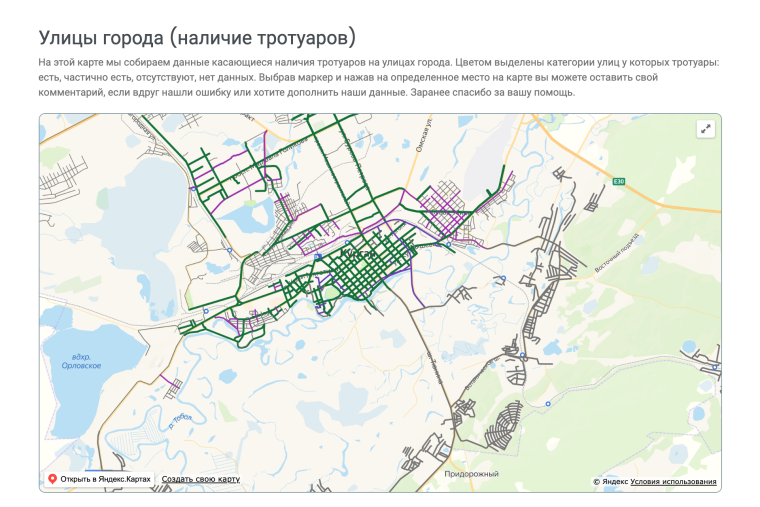
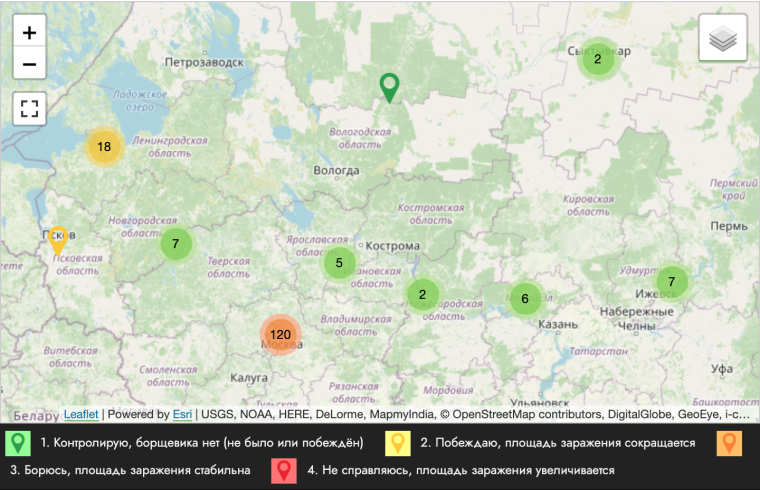
Another example of the use of the plugin is the “Map of the Winners of Borshikviks”, which was created by the team of the Borscheviki project. The card helps to form a volunteer community. The founders of the project invite people to take a plot of land under their custody, on which the hogweed grows, and prevent him from spreading. With the help of a map, you can find like -minded people in your region - it is enough to leave their contacts so that activists can contact each other and plan joint actions.
This is what the “ map of the winners of hogweed ” looks like.
What problem will you solve? Download Shmapper and create your help card.