
Translated material
What am I before Laikal?
In Russia and Belarus, they judge for reactions in social networks - this is the instruction on how to check your
In July, a resident of Barnaul Alexei Argunov was fined that he “carried out a public action aimed at discrediting the use of the RF Armed Forces” - put a sad reaction to a post in “Odnoklassniki”. It is unknown why attention was drawn to Argunov, but not only he could be in such a situation. How to check in what posts there are already your likes and reactions? The Belarusian publication " Our Niva " has prepared detailed instructions for each popular social network - "Cold" retells it.
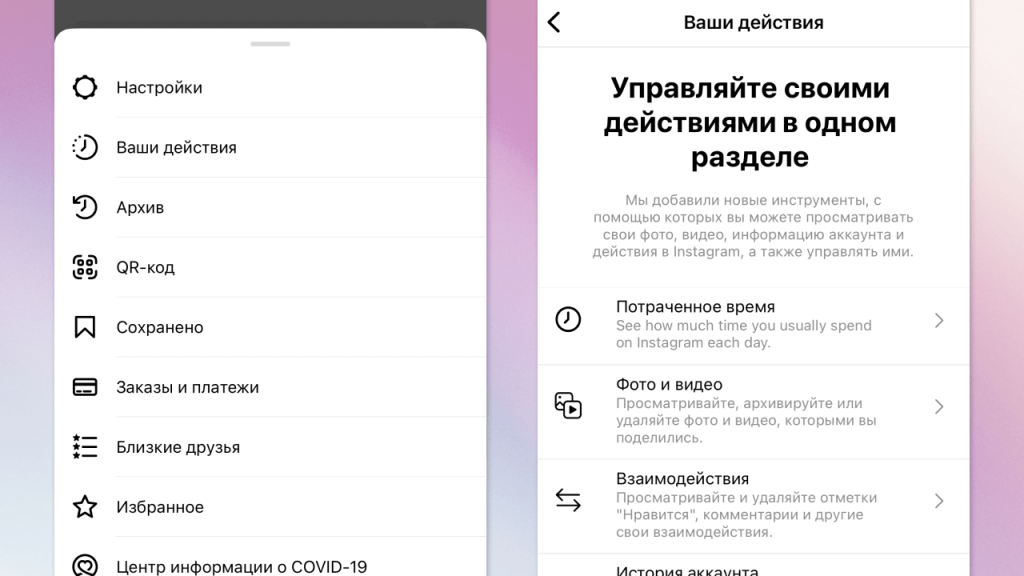
Go to your profile, click on three strips in the upper right corner and select the "Your actions" item, or Your Activity. In the “Interaction” item, you can see all the comments, likes and answers to the stories that you left for the entire use of the social network. (After this reaction that seemed suspicious to you, you can remove it manually. You can also distinguish several likes and select “Remove Intration” for them. But it will not work to remove all the likes through the Instagram application. The only way out is to use third -party services at your own peril and risk. However, the same situation with other social networks. - Ed. "Cold".)
From the application on the smartphone: go to your profile, click on three strips in the lower right corner (“menu”) and select “Settings and Privacy” item, then “settings” (settings). After that, find the item "Activity Log), which is a little lower, in the" Your Information "section. You are interested in the item "Interection", where you can see everything you did on Facebook: from likes to participation in polls.
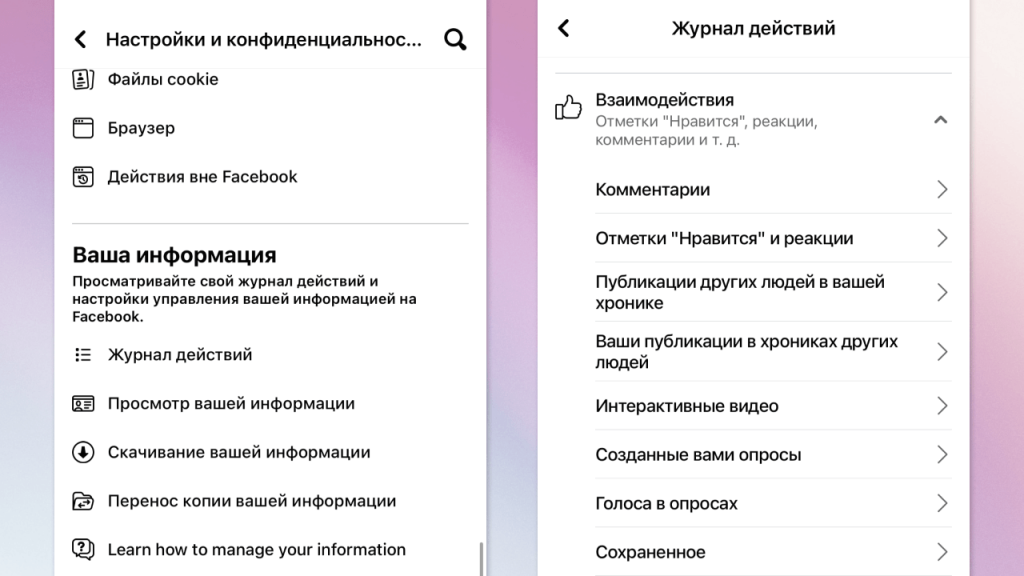
From the browser on the computer: click on your avatar in the upper right corner of the screen - the menu will open. In it you need to select the item “Settings and Privacy” (Settings and Privacy), and then act in the same way as from the mobile application.
"VKontakte"
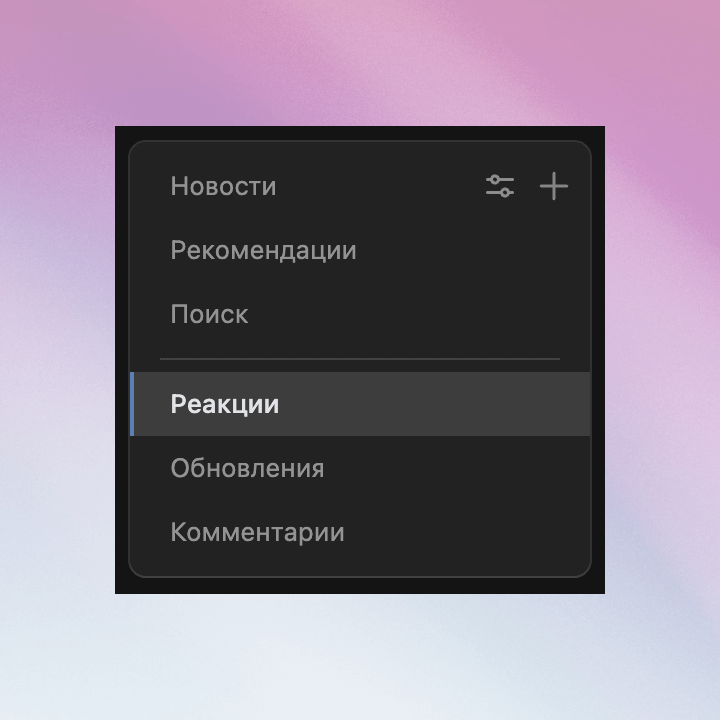
From the application on the smartphone: click on the avatar in the upper left corner and go to the Bookmarks menu. After that, click on the “Reactions” button.
From the browser on the computer: go to the news page (you will get to it immediately if you enter VK.com browser). On the right side of the screen you will see a menu in which you need to click on the “reaction” line.
"Classmates"
In this social network, it is more difficult to find out what you like on. It is most convenient to do this from the computer: go to your page and click in your name and surname. After that, you will see your tape, which also has information about the likes that you put. If you hid this information from the tape, it will not be displayed there.
There is no other way to find out that you are Laikali in Odnoklassniki.
In the preparation of the text, the journalists of Nami NIVA consulted with the Belarusian project CyberBeaver , which advises in the field of digital security. They believe that from VKontakte and Odnoklassniki, any information can deliver to the security forces, and subsequently advise not to allow any rash actions on social networks if you are in Belarus (and Russia. - approx. “Cold”).